
UX Design / Visual Design / AI Interaction
Sticker Generator in Paint
Role: Lead Product & Visual Designer / Team: Windows Inbox Apps (Microsoft Paint) / Timeline: 2024–2025
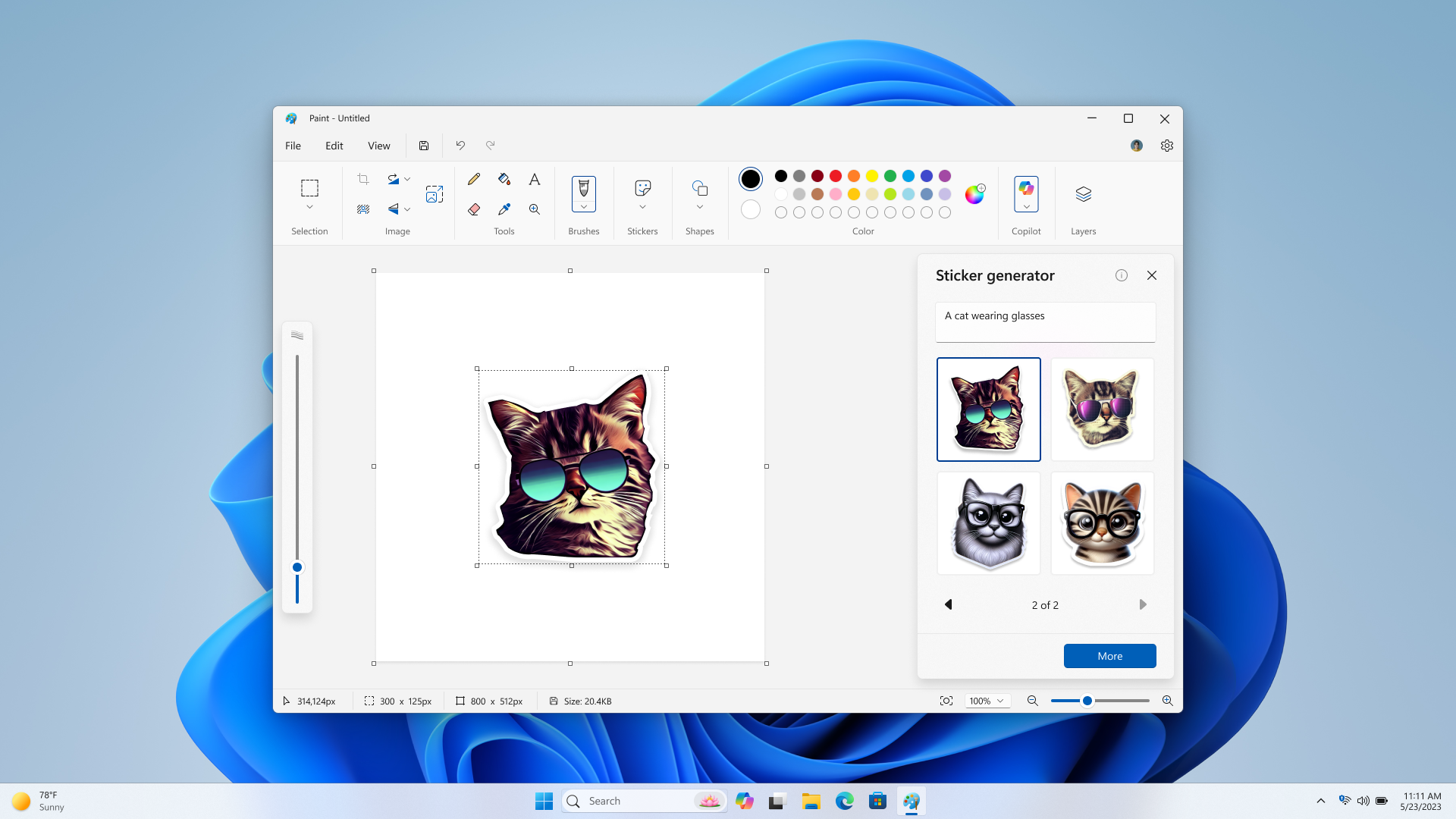
Designed for Copilot+ PCs, the Sticker Generator brings on-device generative AI directly into Microsoft Paint—allowing users to create, curate, and remix custom stickers without leaving their canvas. I led the UX and visual design to make AI prompt creation feel approachable, fast, and native to Paint's creative toolkit.
Key Contributions
Side-Panel Generation UI: Designed a streamlined prompt-and-browse side panel for generating custom stickers from text and managing reusable assets.
Canvas & Copilot Integration: Created seamless entry points from both the Paint toolbar and Copilot menu, pairing AI generation with a curated library of default stickers.
User goals
The experience was designed to support a wide range of everyday creative workflows inside a single app:
Personal Expression: Quickly generate custom stickers that capture specific moods or ideas—such as turning a pet or inside joke into a shareable reaction.
Creative Commerce: Empower small business owners, crafters, and hobbyists to design and print custom stickers for products and packaging.
Streamlined Productivity: Keep ideation, generation, and editing directly inside Paint's existing layer and brush tools without jumping between external apps.


Where We Landed
On-Device AI Made Approachable: Simplified text-to-sticker prompting into a lightweight side panel that keeps the main canvas unobstructed.
Instant Inspiration & Reuse: Combined generative variants with a curated stock of default stickers and saved history so users never face a blank-page block.
Native Paint Ecosystem: Built stickers to work effortlessly alongside Paint's layers, brushes, and Animate in Paint motion presets.