UX Design / Visual Design
Animate
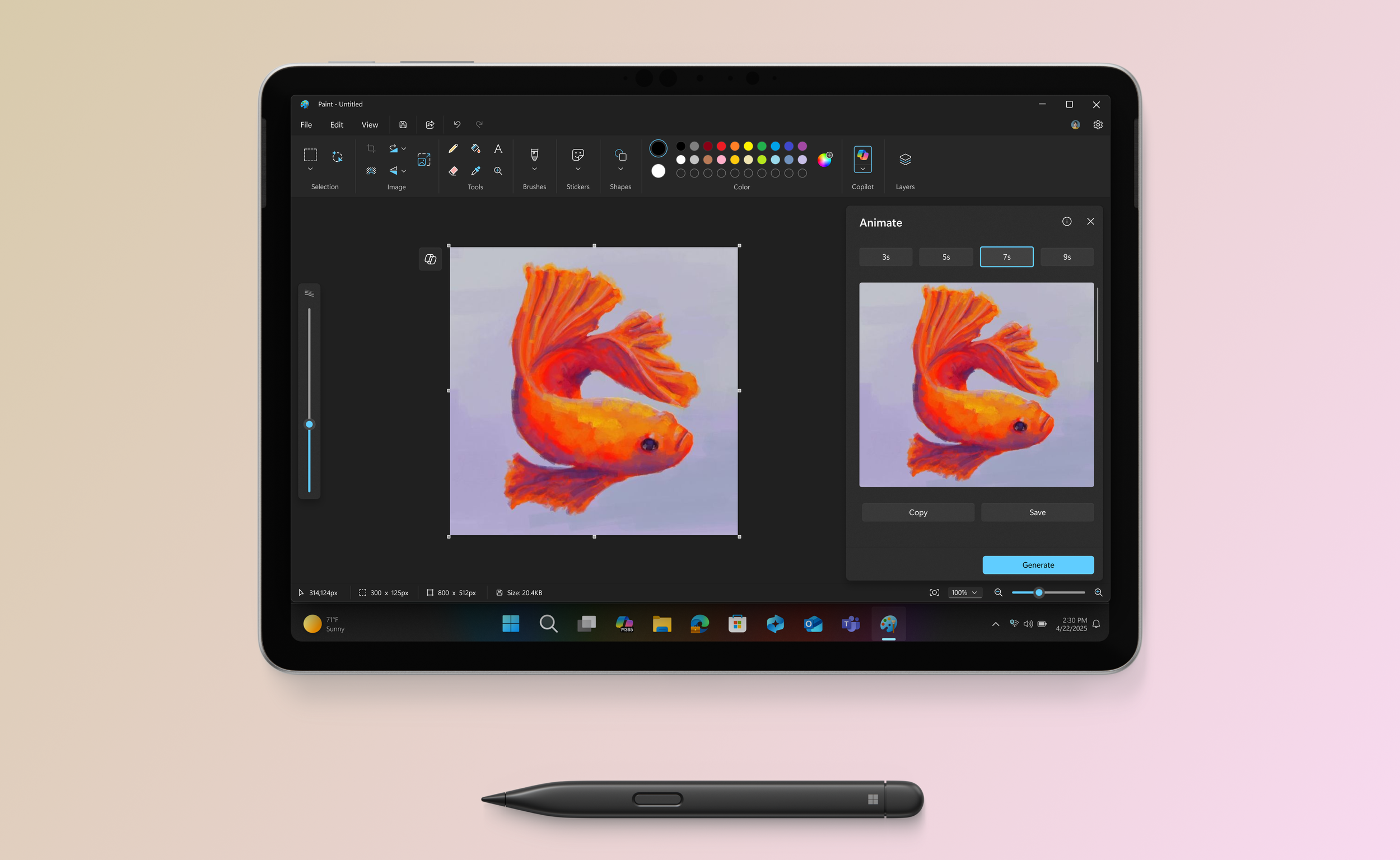
Animate in Microsoft Paint introduces a simple, friendly way for anyone to create looping animations using the same tools they already love in Paint — brushes, layers, stickers, and now frames. It lowers the barrier to motion design by making animation feel approachable, forgiving, and fun, even for users who have never touched animation software before.
The user problem
Paint users were increasingly creating richer, more expressive artwork with layers, textures, and stickers — but had no way to bring their ideas to life through movement. Motion tools were either too complex, too technical, or required users to jump between apps.
Users needed:
A lightweight, intuitive way to animate their artwork directly in Paint
Clear, guided entry points that didn’t overwhelm beginners
Controls that felt creative rather than technical
Confidence that they could experiment freely without “breaking” anything
Where we landed
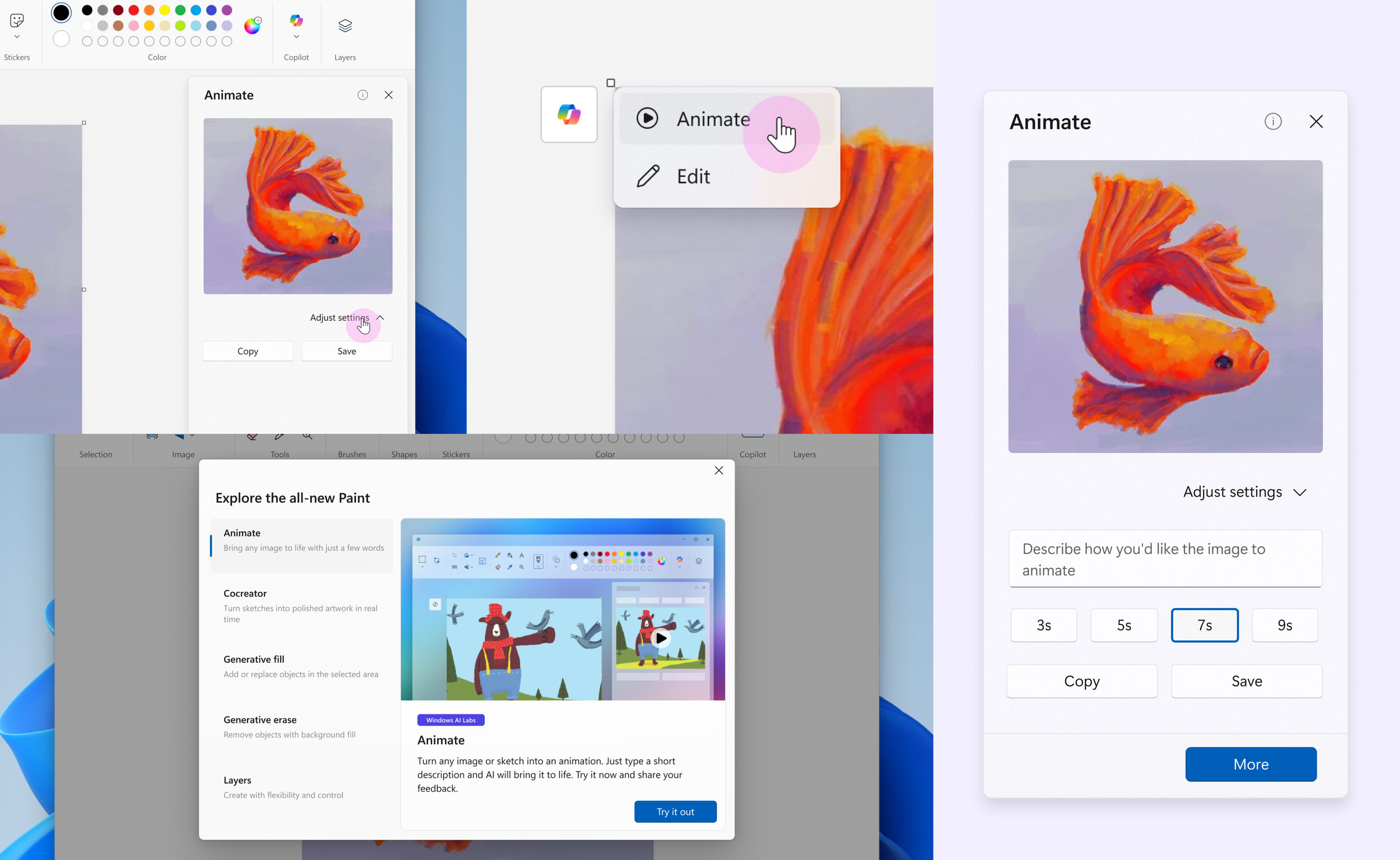
Key design outcomes:
Frame‑based creation that feels familiar to people who understand drawing but not animation tools
Lightweight motion presets that help users bring characters, stickers, and drawings to life with a single click
Thematic motion paired with the Sticker Generator (e.g., personality‑driven movement that feels handcrafted)
A reversible, exploratory workflow so users can play, adjust, undo, and learn through doing
Clear visual hierarchy that doesn’t overwhelm the Paint canvas or hide creative tools
The result is an animation experience that feels distinctly “Paint”: joyful, friendly, and unintimidating — empowering millions of users to create moving art for the first time.